From time to time I get asked the question: How do I change the Default Printer in Windows.
Here are the steps:
Click on the Windows “Start” icon in the lower left corner of your screen.

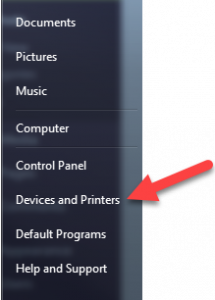
Then navigate to the Devices and Printers link:
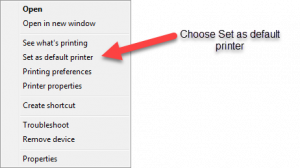
Next right click the printer you want to make as the default and choose “Set as default printer”.
You have changed the default printer.